Your first Amazon Bedrock model call

Outcome
By the end of this lesson you will send one prompt to a hosted model through Amazon Bedrock and get its reply back on your own machine. Amazon Bedrock is the AWS (Amazon Web Services) service that hosts language models behind a single API, so you never manage the model yourself. API stands for Application Programming Interface, the defined way one program talks to another. You will also read the call’s token-usage numbers and know how to fix the two errors beginners hit most: access denied and throttling.
The model this course uses is OpenAI’s gpt-oss-120b, an open-weight model hosted on Bedrock. It is inexpensive, good at the structured, tool-using work the capstone needs, and — because it is open-weight — there is no model-access request or use-case form to fill in before your first call. If your identity may call Bedrock, you can use it.
Mental model
This is the “call the connector once” moment. In a visual tool you pick a connector, provide credentials, send one request, and read the response. Here the connector is Amazon Bedrock, the request is your prompt, and the response is the model’s reply plus some metadata.
Two ideas carry over directly:
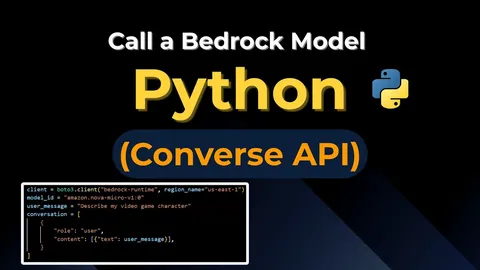
- The Converse API is Bedrock’s one standard request format for chatting with any supported model. You send a list of messages; you get a message back. It is the connector’s “send message” action.
- The usage metadata returned with every reply (input tokens, output tokens, total) is your run history for cost. Every call reports exactly what it consumed, so spend is never a mystery.
Where the analogy stops: a visual connector usually hides credentials and region inside the connection setup. Here you keep the model ID and region in a small configuration file you can read, so switching models or regions is a one-line change and nothing sensitive is hard-coded.
Prerequisites and cost
- Lesson 0 complete: tools installed and
aws sts get-caller-identityreturns your sandbox account. - Nothing to enable in the console: gpt-oss-120b is an open-weight model with no model-access request. Your IAM permissions and region are the only gates, and both are already set from Lesson 0.
- The course code checked out, with dependencies installed. From the
agent/folder runuv synconce.
Cost: running the sample makes one real, billable inference call. It is tiny (a couple hundred tokens), but it is not free. On-demand Bedrock pricing is per-million-tokens, with input and output priced separately. Check the current numbers on the Amazon Bedrock pricing page before you run it. This course does not print dollar figures, because prices change; the pricing page is the source of truth.
Steps
Run these from the agent/ folder of the course.
-
Copy the environment file. Run
cp .env.example .env. This file holds your model ID and region. It is ignored by Git so it never gets committed. One mechanic to know:uvdoes not read.envon its own. Every run command in this course passes--env-file .envtouv run, which loads the file’s values into the environment whereconfig.pyreads them. If you forget the flag, the code silently falls back to its built-in defaults — which happen to match.env.example, so a missing flag hides an edit you made rather than failing loudly. -
Confirm the values. Open
.envand confirmMODEL_IDisopenai.gpt-oss-120b-1:0andAWS_REGIONisus-east-2. The sample file already contains the correct defaults from the research log. Note there is no prefix likeus.on this model ID: gpt-oss-120b is called directly in your region rather than through a cross-region inference profile. -
Sign in to AWS. Run
aws sso loginso your terminal has fresh short-lived credentials. Bedrock uses these to authorize the call. -
Read the code below so you can explain every line before you run it.
-
Run the call. From
agent/, run:uv run --env-file .env python -m intake.bedrock_callThis prints a cost note, sends one prompt, and prints the reply plus token usage.
Smallest code sample
Two files do the work. First, config.py reads the model ID and region from
your environment, with the researched defaults as a fallback. Keeping these out
of the code is why you can change models by editing .env instead of editing
source.
"""Shared configuration, read from environment variables.

Standard library only. Keeping the provider, model id, and memory/session settings
out of source (AGENTS.md: "Keep model ID, region, memory ID ... configurable") means
a learner switches tracks and environments by changing `.env`, not by editing code.

The course has two tracks, chosen by the `PROVIDER` value:
  - "bedrock"    -> Amazon Bedrock (AWS track). Uses MODEL_ID + AWS_REGION, and
                    AgentCore Memory (MEMORY_ID) for cross-session memory.
  - "openrouter" -> OpenRouter (local track). Uses MODEL_ID + OPENROUTER_API_KEY,
                    and a local file session store (SESSIONS_DIR) for memory.
Same agent, same model family; only the transport and the memory backend differ.
"""

from __future__ import annotations

import os
from dataclasses import dataclass

# The two supported inference providers.
BEDROCK = "bedrock"
OPENROUTER = "openrouter"

_DEFAULT_PROVIDER = BEDROCK

# Per-provider default model id. Same model (OpenAI's gpt-oss-120b), two id formats:
# Bedrock uses its own foundation-model id; OpenRouter uses "<vendor>/<model>".
_DEFAULT_MODEL_ID = {
    BEDROCK: "openai.gpt-oss-120b-1:0",
    OPENROUTER: "openai/gpt-oss-120b",
}

# Bedrock-only. Ignored on the local track.
_DEFAULT_REGION = "us-east-2"

# Local track: where the file session store writes its per-user session data.
_DEFAULT_SESSIONS_DIR = "data/sessions"


class ConfigError(RuntimeError):
    """A required configuration value is missing or empty."""


@dataclass(frozen=True)
class Config:
    """Resolved configuration for one run.

    Fields used by both tracks: `provider`, `model_id`. The rest are track-specific
    and optional, so a value irrelevant to your track never has to be set:
      - `region`             -> Bedrock only.
      - `memory_id`          -> AWS-track memory (AgentCore Memory).
      - `openrouter_api_key` -> local-track inference (OpenRouter).
      - `sessions_dir`       -> local-track memory (file session store).
    """

    provider: str
    model_id: str
    region: str
    memory_id: str | None
    openrouter_api_key: str | None
    sessions_dir: str

    def require_memory_id(self) -> str:
        """Return the AgentCore Memory id or explain exactly what to set.

        AgentCore Memory has no local emulation, so this cannot be defaulted.
        """
        if not self.memory_id:
            raise ConfigError(
                "MEMORY_ID is not set. AgentCore Memory is a cloud resource with "
                "no local emulation. Create one in your AWS account and set "
                "MEMORY_ID in your environment (see .env.example)."
            )
        return self.memory_id

    def require_openrouter_api_key(self) -> str:
        """Return the OpenRouter API key or explain exactly what to set.

        Validated here (at model-build time), not in load_config, so an AWS-track
        learner who never uses OpenRouter is never forced to set it.
        """
        if not self.openrouter_api_key:
            raise ConfigError(
                "OPENROUTER_API_KEY is not set. The local track calls OpenRouter "
                "for inference. Create a key at https://openrouter.ai/keys and set "
                "OPENROUTER_API_KEY in your environment (see .env.example)."
            )
        return self.openrouter_api_key


def load_config() -> Config:
    """Build a Config from the current environment.

    Provider and model id fall back to the researched defaults; secrets and ids
    (memory id, API key) do not, because a wrong value would point at the wrong
    account's data or fail confusingly.
    """
    provider = (os.environ.get("PROVIDER") or "").strip().lower() or _DEFAULT_PROVIDER
    if provider not in (BEDROCK, OPENROUTER):
        raise ConfigError(
            f"PROVIDER must be '{BEDROCK}' or '{OPENROUTER}', got '{provider}'."
        )
    return Config(
        provider=provider,
        model_id=(os.environ.get("MODEL_ID") or "").strip()
        or _DEFAULT_MODEL_ID[provider],
        region=(os.environ.get("AWS_REGION") or "").strip() or _DEFAULT_REGION,
        memory_id=(os.environ.get("MEMORY_ID") or "").strip() or None,
        openrouter_api_key=(os.environ.get("OPENROUTER_API_KEY") or "").strip() or None,
        sessions_dir=(os.environ.get("SESSIONS_DIR") or "").strip()
        or _DEFAULT_SESSIONS_DIR,
    )
Second, bedrock_call.py makes the actual call. Read call_model: it creates a
Bedrock client bound to your region with explicit timeouts and a small retry
limit, sends one message through the Converse API, and turns the two most common
errors into plain-language guidance instead of a raw stack trace. _parse_reply
pulls the answer text and the token counts out of the response.
"""Lesson 2: one Amazon Bedrock Converse call, no agent framework yet.

This is the smallest possible "call a model" step: send one message, read the
reply and the token-usage metadata, and turn the two errors a beginner hits most
(access denied, throttling) into plain-language remediation instead of a stack
trace.

Running this DOES call AWS and costs a small amount of money, so it is guarded
behind `if __name__ == "__main__"` with a printed cost note.
"""

from __future__ import annotations

from dataclasses import dataclass

import boto3
from botocore.config import Config as BotoConfig
from botocore.exceptions import ClientError

from intake.config import Config, load_config

# Bound the network call. Without these a hung connection blocks forever and a
# transient error retries indefinitely. Small, explicit limits are the lesson.
_READ_TIMEOUT_SECONDS = 30
_CONNECT_TIMEOUT_SECONDS = 10
_MAX_RETRIES = 2

# Keep the demo cheap and bounded: a short answer is all we need to see usage.
_MAX_OUTPUT_TOKENS = 200


@dataclass(frozen=True)
class ModelReply:
    """The parts of a Converse response the lesson inspects."""

    text: str
    input_tokens: int
    output_tokens: int
    total_tokens: int


class ModelAccessError(RuntimeError):
    """The caller is not allowed to invoke this model (IAM or region issue)."""


class ModelThrottledError(RuntimeError):
    """Bedrock throttled the request; retry later or slow down."""


def call_model(prompt: str, config: Config | None = None) -> ModelReply:
    """Send one prompt to Bedrock via the Converse API and return the reply.

    Raises ModelAccessError / ModelThrottledError with remediation text for the
    two most common beginner failures; other ClientErrors propagate unchanged so
    they are not silently swallowed.
    """
    cfg = config or load_config()
    client = boto3.client(
        "bedrock-runtime",
        region_name=cfg.region,
        config=BotoConfig(
            read_timeout=_READ_TIMEOUT_SECONDS,
            connect_timeout=_CONNECT_TIMEOUT_SECONDS,
            retries={"max_attempts": _MAX_RETRIES, "mode": "standard"},
        ),
    )

    try:
        response = client.converse(
            modelId=cfg.model_id,
            messages=[{"role": "user", "content": [{"text": prompt}]}],
            inferenceConfig={"maxTokens": _MAX_OUTPUT_TOKENS},
        )
    except ClientError as err:
        code = err.response.get("Error", {}).get("Code", "")
        if code == "AccessDeniedException":
            raise ModelAccessError(
                f"Access denied for model '{cfg.model_id}' in region "
                f"'{cfg.region}'. Check that your AWS identity is allowed to "
                "call bedrock:InvokeModel on this model, and that AWS_REGION "
                "is a region where the model is offered (see the model card)."
            ) from err
        if code == "ThrottlingException":
            raise ModelThrottledError(
                "Bedrock throttled this request. Wait a few seconds and retry, "
                "or request a quota increase if it persists."
            ) from err
        raise

    return _parse_reply(response)


def _parse_reply(response: dict) -> ModelReply:
    """Pull answer text and token usage out of a Converse response.

    Validate the shape at this boundary rather than trusting the SDK dict deep in
    caller code.
    """
    content = response["output"]["message"]["content"]
    text = "".join(block.get("text", "") for block in content)
    usage = response["usage"]
    return ModelReply(
        text=text,
        input_tokens=usage["inputTokens"],
        output_tokens=usage["outputTokens"],
        total_tokens=usage["totalTokens"],
    )


if __name__ == "__main__":
    # COST NOTE: this makes a real, billable Bedrock inference call in your
    # configured AWS account. It is tiny (a couple hundred tokens) but not free.
    print("COST NOTE: this calls Amazon Bedrock and bills your AWS account.")
    reply = call_model("In one sentence, what is an automation intake request?")
    print("\nReply:", reply.text)
    print(
        f"Tokens: input={reply.input_tokens} "
        f"output={reply.output_tokens} total={reply.total_tokens}"
    )
The <MODEL_ID> and <AWS_REGION> used here come from your .env file (see
config.py); they are never hard-coded into the call.
Expected output
This step calls Amazon Bedrock, which needs your credentials and spends a small amount, so it cannot be run for you here. The block below is the shape of the output, not a transcript. The reply wording is generated fresh each run, so your exact sentence and exact token counts will differ (output shape; exact text and numbers vary per run):
COST NOTE: this calls Amazon Bedrock and bills your AWS account.

Reply: <one sentence of model-generated text describing an automation intake request>
Tokens: input=<N> output=<N> total=<N>
The checkpoint is met when you see a non-empty Reply: line and a Tokens:
line where total equals input + output. Run the command a second time: the
sentence changes slightly but the shape stays the same. That variation is the
probabilistic behavior from Lesson 1, seen firsthand.
One common failure
Symptom: the command ends with a message like “Access denied for model ‘…’. Check that your AWS identity is allowed to call bedrock:InvokeModel…” instead of a reply.
Diagnosis: your credentials are valid but the call was refused — either your
IAM identity lacks bedrock:InvokeModel for this model, or AWS_REGION points
at a region where the model is not offered. The code catches Bedrock’s
AccessDeniedException and rewrites it as that plain-language message, so this
is expected, recoverable behavior, not a crash.
Fix: confirm AWS_REGION=us-east-2 in .env, confirm your sandbox identity
has permission to invoke Bedrock models (the admin-level sandbox user from
Lesson 0 does), run aws sso login if your session has expired, then run the
command again.
A second common failure is a throttling message (“Bedrock throttled this
request. Wait a few seconds and retry…”). That means you sent requests faster
than your account’s rate limit allows. Wait a few seconds and retry, or request
a quota increase if it keeps happening. The code catches Bedrock’s
ThrottlingException and surfaces this guidance for you.
Why this works
Three deliberate choices make this first call reliable. The model ID and region live in configuration, so the same code runs against any model or region without edits and nothing sensitive is baked into source. The network call has explicit timeouts and a bounded retry count, so a hung connection fails in seconds instead of hanging forever, and a transient blip retries a couple of times instead of endlessly. And the two most common errors are caught and translated into actions you can take, so a beginner sees a named permission to check rather than a forty-line traceback. These are the same boundary habits you will reuse at every network call in the course.
Verify it yourself
- Run
uv run --env-file .env python -m intake.bedrock_callfromagent/and confirm you get aReply:line and aTokens:line. - Run it a second time and confirm the reply wording changes while the token
line still adds up (
input + output = total). - Temporarily set a wrong region in
.env(one where gpt-oss-120b is not offered), run the command, and confirm you get a plain-language error rather than a crash. Then restoreAWS_REGION=us-east-2.
Passing all three means you have a repeatable Bedrock call and you have seen both the success path and the main failure path.
Cleanup
There is nothing to delete. This lesson creates no standing cloud resource; each
run is a single call that finishes immediately. To stop any further spend, simply
do not run the command again. If you want to end your AWS session, run
aws sso logout. Keep your .env file for the next lesson; it is already
ignored by Git, so it will not be committed.